Better decisions from current data
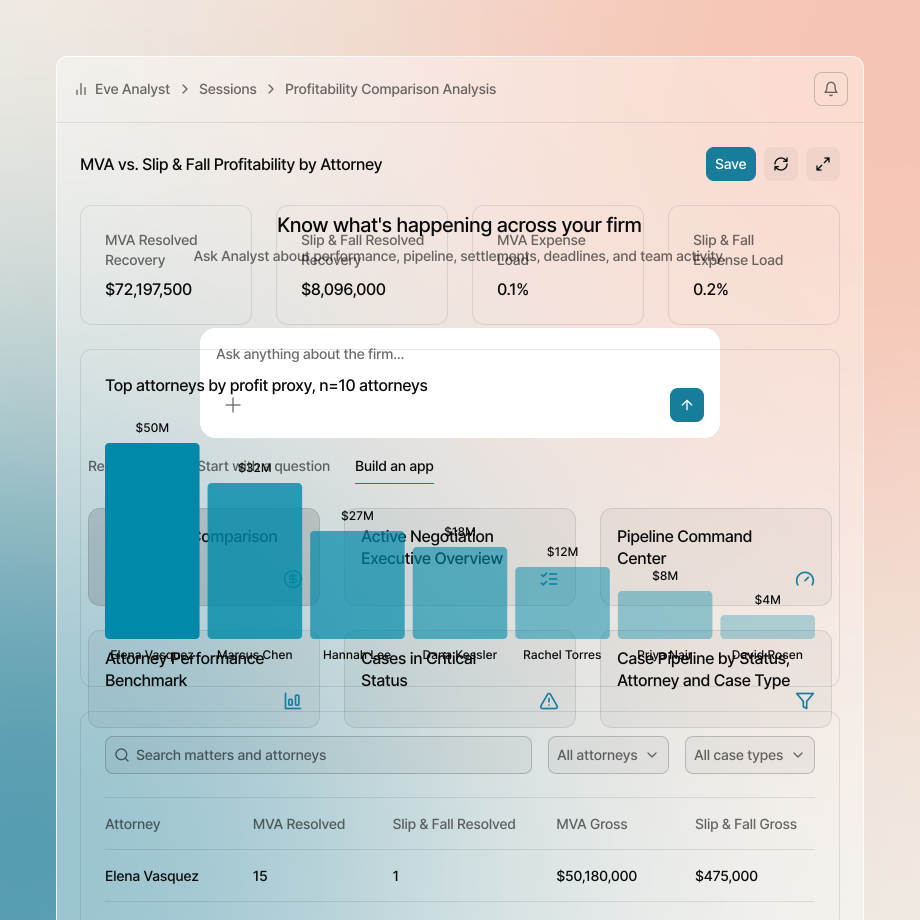
Bring case information together from your connected systems, so firm leaders see where every case stands.

Eve connects to your firm’s existing systems, bringing in case data, communications, and calendars, so your team spends less time on admin and more time on casework and clients.

Bring case information together from your connected systems, so firm leaders see where every case stands.
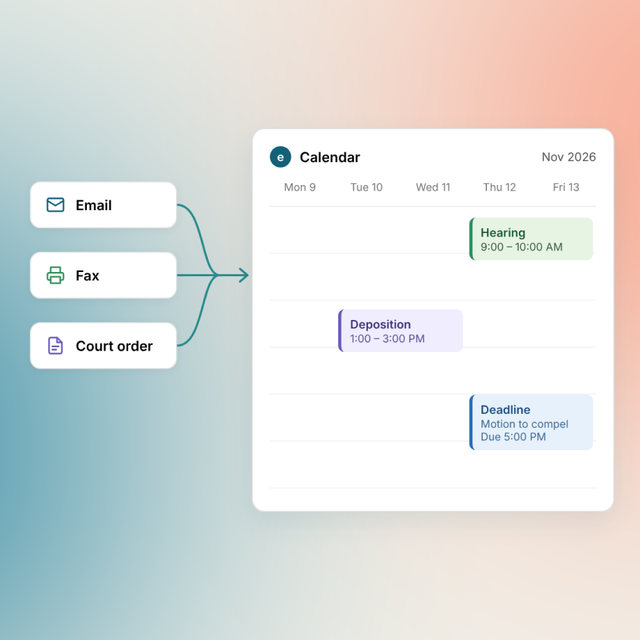
Pull dates from orders and notices, and put them on Outlook or Google calendars with the source cited.
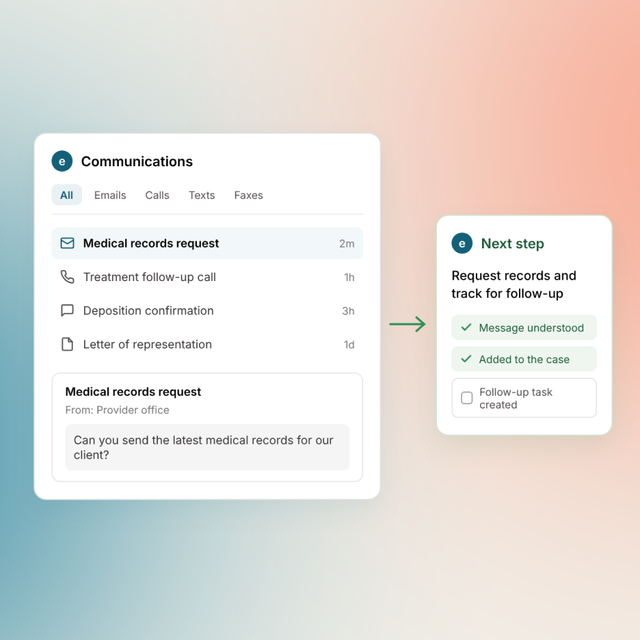
Every call, email, text and fax lands on the right matter, so your team replies to clients, adjusters and opposing counsel with the full picture.

Ask Eve to file documents, emails and attachments to the right matter, so nobody sorts them by hand.

Keep case information current across your connected systems, without updating each one by hand.
40 integrations
Bring case information into Eve and update your CMS without retyping.

Clio Grow

Litify

Smart Advocate

MyCase

CasePeer

Smokeball

CasePacer

Salesforce

HubSpot

Airtable
Bring case files into Eve, find current documents, and save finished work to the right matter folder.

SharePoint

OneDrive

Dropbox

Box

Google Drive

Litify Docrio

AWS S3
Bring case files stored in AWS S3 into Eve.

NetDocuments
Bring documents from NetDocuments into your Eve matters.
Find information, draft emails, schedule events, and share updates across the tools your team uses every day.

Outlook

Gmail

Outlook Calendar

Google Calendar

Microsoft Teams

Slack

Google Sheets

Google Docs

Google Slides
Connect your accounting and e-signature tools to keep more of your firm’s work moving in one place.

Quickbooks

Docusign
Bring calls into Eve to capture conversations and turn potential new business into leads

Twilio
 Coming soon
eFax
Bring faxed documents into Eve through email forwarding.

Dialpad

RingCentral

Zoom Phone

CallRail

Spectrum VoIP

CallHarbor

Five9

8x8 Work

3CX
No match for that system. Tell us what your firm runs.
Talk to our teamUse Eve’s APIs to build custom connections, and browser agents to help Eve navigate websites and complete tasks across systems.

“With Gmail and OneDrive connected to Eve, I’d estimate I’ve cut at least 20% of the admin time I spend on my cases. I’m no longer moving emails and files between tools just to get started.”

“Connected tools give our lean team room to take on more cases without adding people just to handle busywork. That lets us focus on client service and the strategic work that makes a difference in each case.”

“I’ve been able to be in Eve all morning. I didn’t touch my Outlook, I didn’t touch Clio.”
Turn new medical records in Dropbox into an updated treatment status in Litify.
Save the signed agreement to the matter folder in SharePoint and note it in Clio.
Turn opposing counsel’s proposed deposition dates into a task, calendar holds and a matter note.
File a records email and its attachments to the matter, sorted as records, bills or correspondence.
Put every deadline from a scheduling order on your Outlook or Google calendar, with the order cited.
When trial moves, move the dependent deadlines with it, keeping court dates and internal windows separate.
There are integrations that bring case data into Eve. In addition, other integrations let Eve act in your systems when you ask: update fields, file documents, draft emails and calendar deadlines, with your approval.
No. Integrations are included for all Eve customers at no extra cost.
Out of the box, every change Eve makes is a suggestion. It shows the current value, the proposed value and its source, and a person approves it before anything changes. Eve only writes automatically where your firm’s instructions allow it.
No. Eve searches only your own mailbox, and only when you or an agent asks. It drafts replies there and sends only when you tell it to.
Admins decide what Eve is allowed to do in each integrated system. You can turn off any action, such as deleting documents, or make a connection read-only, and you can add plain-English rules like “always upload a new version, never replace a file.” Every action is logged in Eve, and with individual accounts, each change in your CMS shows who approved it.
Tell us what your firm runs and we’ll talk.
Join 1700+ plaintiff firms running on Eve