


The premier publication for plaintiff law
December 2025 Updates: Intake Intelligence, Telephony Integrations, Exhibit Assembly, and More!
This month’s release expands Eve AI Intake with deeper intelligence and connectivity, and adds Medical Overview Alerts, editable damages ledgers, and in-draft exhibit assembly to speed demand preparation.

By Brian Falldin — 3 min read
The Tort Report
One email a week on the verdicts, the AI, and the money reshaping plaintiff law. Read by 500 leading plaintiff firms.
We could not load the signup form. Email us and we will add you to The Tort Report.
Email usThis month, we are expanding the capabilities of Eve AI Intake with deeper intelligence and seamless connectivity, while also releasing Medical Overview Alerts to safeguard your timelines, Ledger Editability for precise damages control, and Exhibits to let you assemble evidence packets directly within your demand letter drafts.
Here is what is new and how to use it.
Eve AI Intake: Now Smarter and More Connected
Eve continues to evolve into a system that makes casework both faster to execute and easier to oversee.
Here is what is new and how to use it.

Intake Intelligence Dashboard & Lead Rescue: Helps understand your intake engine, spot gaps in your funnel, and identify low/high performers for coaching at scale. Also identifies high-value leads that were not signed and flags them for recovery.
- Why this matters:
- High-value opportunities often slip through the cracks due to volume or handling errors.
- Firms can now see the transparent rationale behind every lead score to understand why a case is valuable.
- Additional details:
- The updated dashboard allows you to filter by case type and compare intake specialist performance by volume and outcome.
Voice AI & Telephony Integrations Connect Zoom Contact Center, Dialpad, and RingCentral to pipe calls directly into Eve , while the AI Agent now supports configurable warm transfers.
- How it works:
- Warm Transfers: Configure rules to route high-stakes callers or specific languages to human staff immediately.
- Automatic Ingestion: Calls handled by your existing phone system are pulled into Eve, classified, and converted into leads automatically.
Medical Overview Alerts: Ensure analysis reflects the latest evidence
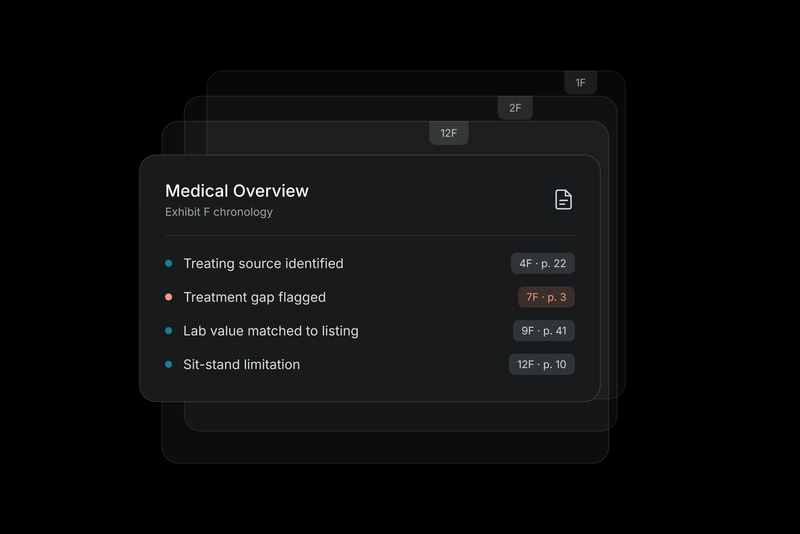
Eve now flags matters that either need their first Medical Overview or need a re-run because new medical records were added. A guided alert prompts users to run or re-run the overview so timelines, providers, and damages stay accurate. This ensures your timelines, providers, and damages always reflect the full evidence.
- Why this matters:
- Inaccuracies in chat answers often originate simply from missing structure or outdated context.
- Running the overview early prevents wasted time on timelines that don't reflect the latest evidence.
- This ensures your timelines, providers, and damages always reflect the full evidence.
- Additional details:
- Alerts appear on the matter details page if new medical files are detected after the last overview was run.
- Eve is also rolling out Automatic Initial Medical Overviews for new matters. When medical documents are first uploaded, the initial Medical Overview runs automatically in the background. Subsequent updates continue to be guided by alerts. This feature is being introduced in phases, starting with a limited release.
Medical Ledger Editability: Make instant adjustments to the ledger
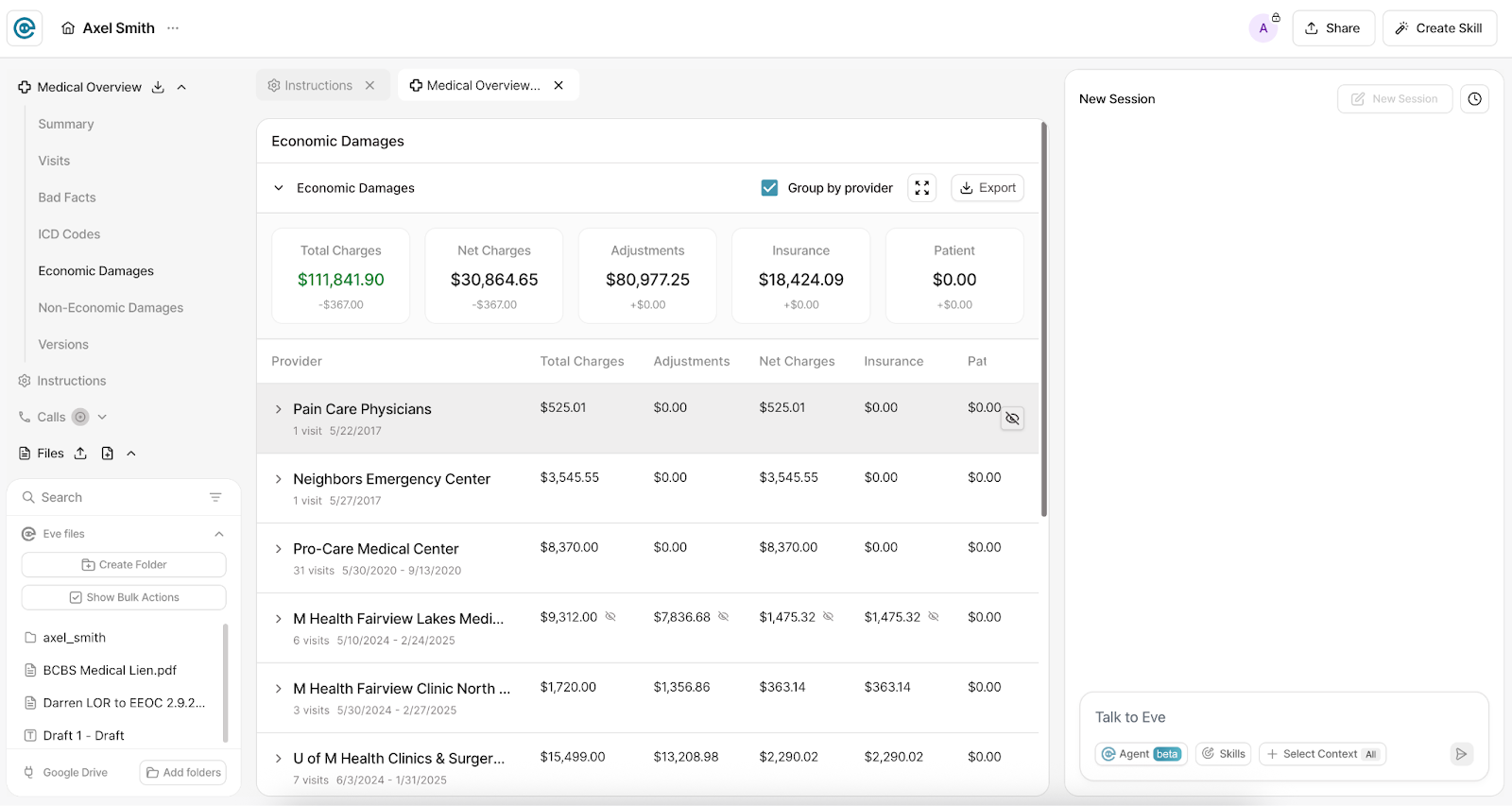
Users can now correct bill values, adjust descriptions, and add missing line items directly within the ledger.
- When this is especially useful:
- Correcting OCR errors due to poor quality documents (e.g., OCR reads a "5" as a "6") without re-running the entire overview.
- Adding payments or co-pays that were made separately and do not appear on the original bill.
- All edits persist across future re-runs of the Medical Overview.
Exhibit Packet Builder: Assemble your exhibits while drafting with Eve

You can now assemble, edit, reorder, and export exhibits directly inside Eve’s drafting workflow–for both new and existing drafts.
- How it works:
- Seamless Assembly: Attach evidence, such as police reports or medical records, photos or images, directly to a draft.
- Precision Editing: Select specific page ranges (even multiple ranges from the same file) and reorder exhibits via drag-and-drop.
- Flexible exporting options include a "Combined" PDF packet with cover sheets or downloading the exhibits separately.
Additional Support Within Eve
- New in-product support is coming soon to Eve. You’ll see a help icon in the app that opens a chat window for quick support without leaving your workflow.
- The chat will first suggest answers using our knowledge base, and if your question isn’t resolved it will route to our support team for live help.
- We expect to roll this out in the coming weeks and will share more details as soon as it’s live.
Related Stories


The Tort Report
One email a week on the verdicts, the AI, and the money reshaping plaintiff law. Read by 500 leading plaintiff firms.
We could not load the signup form. Email us and we will add you to The Tort Report.
Email us